PickMeApp Light

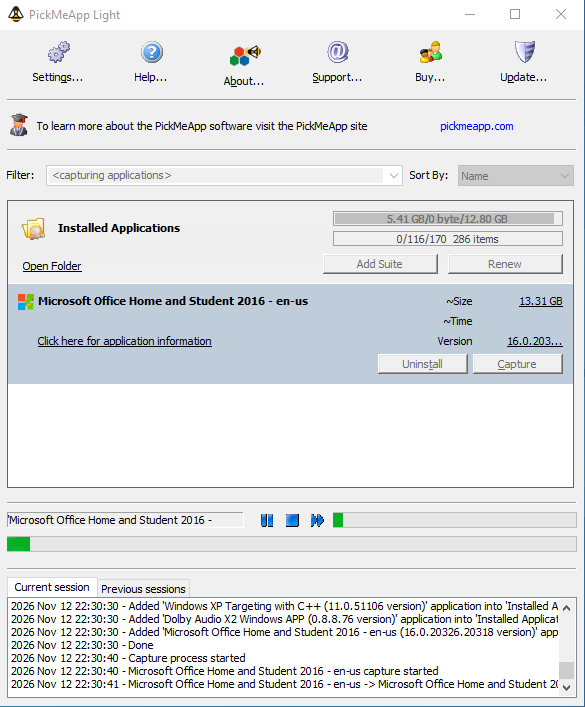
Transfer installed programs to another Windows PC
Move supported programs and their settings—even without their original installers.
Portable—no installation required. Run PickMeApp Light from a folder on your PC or a USB drive.
Transfer any number of applications to any number of PCs with one PickMeApp Light license.
Transfer one application or software suite at a time.
Keep the original application on your old computer.
Save packages for future reinstallations.
Capture applications for free. Pay only when transferring.
Repair or uninstall supported applications.
Transfer a program using a USB drive
1. Run PickMeApp Light from a USB flash drive on your old PC.
2. Select your application and click Capture. Its package is saved on the flash drive.
3. Connect the flash drive to your new PC.
4. Run the saved self-extracting executable to install your application.
Capture for free. Or enter a paid license in Settings to make packages ready for reinstallation without further license prompts.
No USB drive? Run Light from a folder on your PC, then copy the saved package to the other computer.
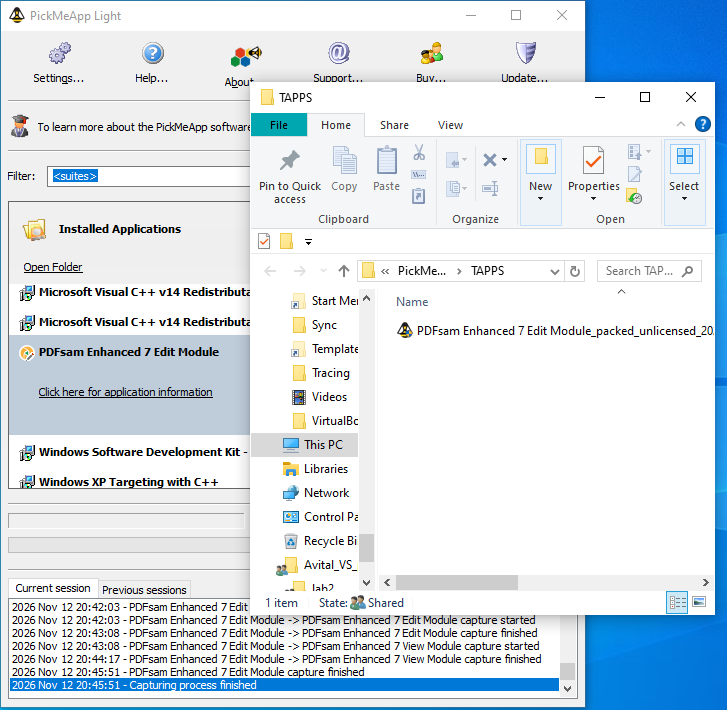

Your application becomes a self-extracting executable
The generated self-extracting executable (.exe) contains the captured application and its settings. Run it on another compatible Windows PC—PickMeApp itself is not required there.
Self-extracting installation packages expire with the PickMeApp license used to create them. They can be repackaged with a valid license.
Applications you have already transferred and installed are not affected by this expiration.
Check compatibility and get help
Not every application can be transferred. It must support the destination Windows version, and some applications require reactivation.
Check recorded successful transfers, read the Light guide, or contact support.
Recorded successful transfers provide evidence, not a guarantee for every application. See the Light guide, FAQ, Troubleshooting, Knowledge Base and YouTube channel.
Online support is provided by filling a support form inside PickMeApp application.